
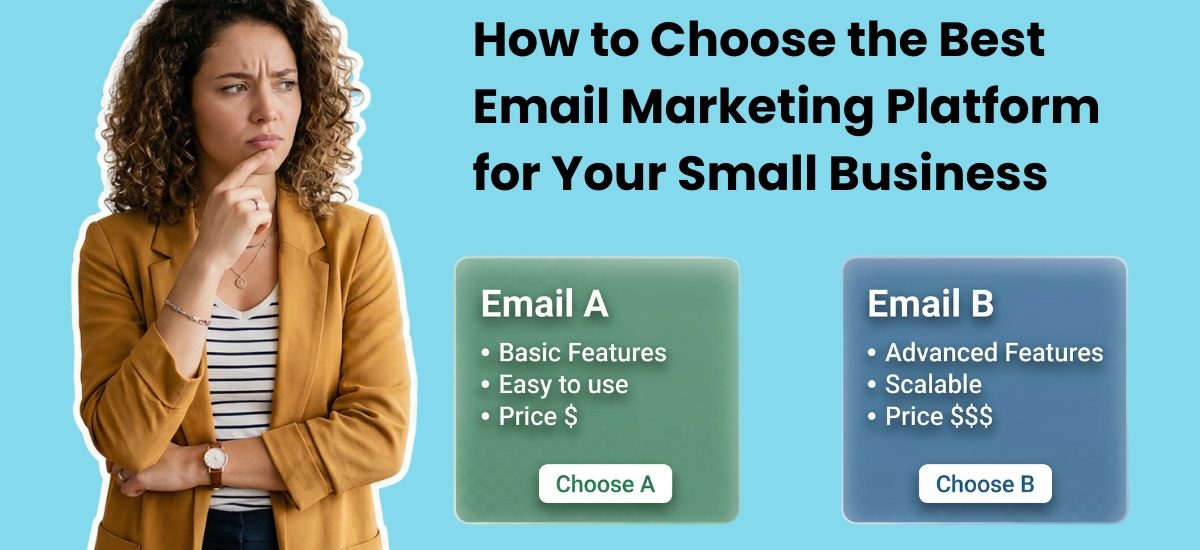
There are dozens of email marketing platforms competing for your attention. Every one of them promises to be the easiest, the most powerful, or the best value. Choosing between them shouldn’t take weeks.
The right email marketing platform for your small business is the one that handles deliverability reliably, fits your budget at your current list size, includes automation without requiring technical expertise, and has real human support when something goes wrong. Everything else is secondary.
This guide walks through the six questions that actually matter when choosing an email platform. Here is what to look for in each answer.
The six questions to ask before choosing an email marketing platform
1. Does it prioritize deliverability?
Deliverability is whether your emails land in the inbox or the spam folder. It’s the most important thing an email platform does for you, and it’s the one thing most small businesses don’t think to ask about until something goes wrong.
AWeber customer Coleen Otero learned this the hard way. After switching to a different platform, her open rates dropped from 30-40% to 5%. “As a small business owner, that is detrimental to my ROI, detrimental to the sales,” she said in an AWeber webinar.
She returned to AWeber and recovered those rates.
What Coleen’s experience illustrates: deliverability isn’t just a technical setting. It’s the foundation your entire email strategy sits on. A platform that lets bad actors send spam from shared infrastructure damages the sender reputation of every customer on that infrastructure . Yours included.
What to ask:
Does the platform manage deliverability in-house, or is it outsourced?
Does it support SPF, DKIM, and DMARC authentication?
Does it offer confirmed opt-in to protect your sender reputation?
2. Can you afford it as your list grows?
Most platforms charge by subscriber count. That means the price you see today isn’t the price you’ll pay in twelve months if your list grows.
Map out the cost at three list sizes: where you are now, at 1,000 subscribers, and at 5,000 subscribers. Some platforms look cheap at 500 contacts and become expensive quickly. Others have a generous free tier that gets restrictive before your list is large enough to generate meaningful revenue.
AWeber’s free plan supports up to 500 subscribers and includes automation, landing pages, and 24/7 support. Paid plans start at $15/month.
For a full breakdown of what you get at each price point, see How Much Does Email Marketing Cost for a Small Business?
3. Can you set up automation without technical help?
Automation is where email marketing generates its best returns. A welcome series, a re-engagement campaign, a post-purchase sequence. They run without you once they’re set up. But only if you can actually build them.
Look for a visual workflow builder that doesn’t require writing code or hiring a developer. You should be able to drag and connect triggers, conditions, and actions to build a sequence in under an hour. AWeber’s visual workflow builder lets you do exactly that, with branching paths and behavioral triggers built in.
Test this before you commit. Most platforms offer a free trial. Use it to build a basic three-email welcome series. If it takes you more than an hour and two support tickets, it’s going to slow you down every time you want to make a change.
4. What happens when something breaks?
You will need help at an inconvenient time. Right before a launch. On the day you’re sending to your biggest list. At 10pm on a Friday.
Most email platforms offer support by email or chat during business hours. A few offer 24/7 support. Fewer still offer 24/7 support from a person who actually knows email marketing, not a chatbot that routes you to a knowledge base article.
Ask specifically: what does support look like when I have an urgent problem outside business hours? The answer tells you more about the platform than any feature list.
AWeber, for example, offers 24/7 human support as standard on every plan.
5. Does it do what your business actually needs right now?
The best platform for a solopreneur sending a weekly newsletter is different from the best platform for an ecommerce store running abandoned cart sequences. Don’t pay for features you won’t use for 18 months.
Start by listing the three things your email marketing needs to do in the next 90 days:
Collect subscribers and send a welcome sequence
Send a weekly or monthly newsletter
Recover abandoned carts or re-engage lapsed customers
If those are your three, you don’t need enterprise-level CRM integration or predictive AI send-time optimization. You need a platform that does those three things reliably and doesn’t get in your way.
Add complexity as your needs grow. Switching platforms later is far less painful than paying for complexity you don’t use. Getting confused enough to stop using email marketing at all is the bigger cost.
If you want to see how specific platforms stack up against each other, we evaluated the best email marketing platforms for small businesses across deliverability, pricing, automation, and support. See the full breakdown: Best Email Marketing Platforms for Small Businesses.
6. How easy is it to move if you’re already on another platform?
If you’re not starting from scratch, migration is part of the decision. A platform that’s technically good but painful to move to isn’t the right choice if you’re sitting on years of subscriber data, templates, and automation sequences you’d have to rebuild from scratch.
Ask specifically: does the platform offer migration support, and who does the work?
Some platforms say they support migration but mean they’ll give you an export guide and leave you to figure out the rest. Others offer a genuine done-for-you migration where their team transfers your list, recreates your templates, and rebuilds your automations.
AWeber’s migration service is free. The team handles the transfer from your current platform so you don’t have to spend weeks rebuilding what you already have. Most migrations are completed within a few business days.
What to check before migrating:
Can your current platform export your full subscriber list with tags and custom fields intact?
Will your automations need to be rebuilt, or can they be transferred?
Does the new platform’s support team have experience migrating from your current one?
A clean migration sets you up to start improving immediately rather than spending your first month just getting back to where you were.
What to prioritize at each stage of business
Just starting out (under 500 subscribers)
Your priority is getting a list built and a welcome sequence running. You don’t need advanced segmentation or complex automation yet.
Look for: a free plan that includes automation, a landing page builder so you don’t need a separate tool, and a simple drag-and-drop email editor. AWeber’s free plan covers all three.
For tactics on growing your list from zero, see How to Build an Email List for Your Small Business.
Growing (500 to 5,000 subscribers)
Your list is generating revenue. You need better segmentation, more automation flexibility, and analytics that connect email activity to sales.
Look for: behavioral tagging, visual automation workflows, and integration with your ecommerce platform or CRM. This is where paying for a platform starts to have a clear ROI.
Established (5,000+ subscribers)
You need reliable deliverability infrastructure, advanced segmentation, and the ability to run multiple campaigns simultaneously without things breaking.
Look for: dedicated deliverability support, a robust API for custom integrations, and priority customer support. The cost of a platform problem at this list size is real money.
Red flags to watch for
Feature overwhelm on the homepage. If the platform’s website leads with 1,000s of integrations and AI-powered predictive send time optimization, that’s often a signal the product is built for enterprise marketing teams, not small business owners who are also running a business.
Pricing that hides list size costs. Some platforms advertise a low monthly price and then bury the fact that it only covers 500 contacts. Read the pricing page all the way through.
No mention of deliverability. If a platform’s marketing never talks about inbox placement, sender reputation, or authentication, ask why. Deliverability should be a feature they’re proud of.
Support that’s only available during business hours. Small business owners don’t keep business hours. Your email marketing problems won’t either.
Frequently asked questions
What is the best email marketing platform for a small business?
The best email marketing platform for a small business is the one that prioritizes inbox deliverability, includes automation on its entry-level plan, fits your budget as your list grows, and offers real support when you need it. For most small businesses starting out, the right choice is a platform with a generous free tier that includes automation and won’t require a developer to set up a welcome series.
Is free email marketing good enough for a small business?
A free email marketing plan is a strong starting point. The limitation is list size, not features. When your list grows beyond 500 subscribers and your email is generating measurable revenue, upgrading to a paid plan pays for itself quickly.
How long does it take to get started with email marketing?
With a platform like AWeber, you can have a signup form, a landing page, and a welcome email live in under an hour. AWeber also offers a Done For You service that builds your full email marketing system: branded templates, landing pages, welcome automation, and weekly AI-generated newsletter draft, in seven days for a one-time fee of $79.
Keep reading:
Email Marketing for Small Businesses: The Complete 2026 Guide
The Best Email Marketing Platforms for Small Businesses
Email Marketing Automation for Small Businesses
How to Build an Email List for Your Small Business
How Much Does Email Marketing Cost for a Small Business?
The post How to Choose the Best Email Marketing Platform for Your Small Business appeared first on AWeber.