
I don’t just work at Buffer; I’ve been using it as a marketer for more than 12 years!
Which is why I’m so excited about Buffer Insights, the new analytics suite. It tracks follower growth, engagement, and impressions across Instagram, Facebook, X, LinkedIn, TikTok, Pinterest, Threads, Substack Notes, Bluesky, YouTube, and Mastodon, lets you compare performance across date ranges, channels, and post types, and exports reports as PNG, PDF, CSV, or Markdown.
I thought an, ahem, insight into how I personally use analytics in Buffer might be useful for anyone getting started with it. So these are my top four Insights features that I can’t live without.
1. Claude Connector
I pretty much live inside Claude these days, especially when I’m thinking about social content. I don’t use it to write posts, but I do use it to plan them.
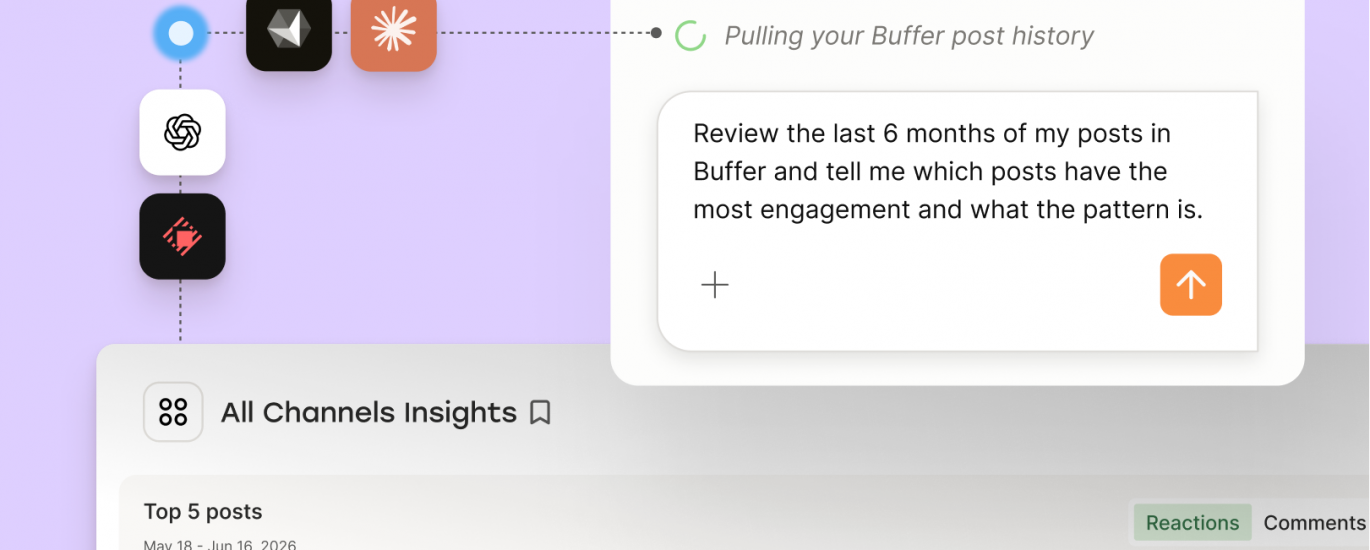
I typically start each month by working on a rough content plan. Because Buffer has an MCP that connects to Claude, ChatGPT, and others, I can easily pull my social data into a conversation and get suggestions for what topics and post types have been performing best. Here’s the prompt I use:
Plan a month’s worth of content for my LinkedIn and Threads profiles. Start by pulling my Buffer data from the past year and tell me what’s resonating the most
From there, Claude helps me put together a rough plan for the month.
This has become the way I plan almost all of my social content, and I reckon it saves me a few hours every week. It also reduces the mental load of having to think about content all the time.
2. Weekly Pulse
Even though I like to plan content over a month, I still need to keep track of how things are going, and I tend to make a lot of adjustments on the fly. Social media moves lightning fast, and there are usually some trending topics or new products that I want to post about.
The Weekly Pulse shows me where I’m at for the week, including how many posts I’ve shared, how follower growth is tracking, and how much engagement I’m getting. I’m working hard on improving my comment score as I know that replying to comments is a great way to boost post visibility.
3. Tags
There are tons of ways you can use Tags in Buffer, but I primarily use them to capture results for product launches and announcements. The setup takes two steps: add a tag to each post when you schedule it, then filter by that tag in Insights to see how those posts performed as a group
For example, we recently launched support for Substack Notes in Buffer, and every launch post is tagged so I can see the results in one place. So far, so good — those six posts on launch day drew 254 engagements and 17,000 impressions!
Because each launch gets its own tag, I can also compare launches with one another. That’s handy when you’re working out which launch metrics are actually worth tracking.
4. Reports
If a tree falls in a forest but no one hears it, did it really fall? I feel the same way about social content. If you don’t communicate the results, whether to a client or a teammate, you might as well not have posted at all.
Buffer’s reporting features aren’t just handy for agencies — I use them all the time to show our product and leadership team how our product marketing campaigns are performing.
There are a few report export options, including CSV, Markdown, and PDF. I use PNG snapshots most often, as they’re the fastest and simplest way to highlight a win in Slack.
Using these features together
Each feature covers a different part of my month:
At the start, I plan with the Claude connector.As I go, I check the Weekly Pulse and adjust.For launches, I use tags so I can measure each one as a group.At the end, I share the results through reports.
Buffer Insights is available on every plan, including the free one. If you’ve found a smarter way to use any of these (or any of Buffer’s other features!), I’d love to hear it, so come find me on LinkedIn and tell me about it!