
You don’t need a massive list to start segmenting. You need a reason to.
The moment you have subscribers with different interests, different buying histories, or different levels of engagement, sending everyone the same email starts costing you. Not dramatically. Just quietly. In opens that don’t happen, clicks that don’t come, and subscribers who stop caring.
Segmentation fixes that. It’s the practice of dividing your list into smaller groups so each person gets content that’s relevant to them. Done right, it’s the single biggest lever you can pull to make your email marketing more effective without sending more email.
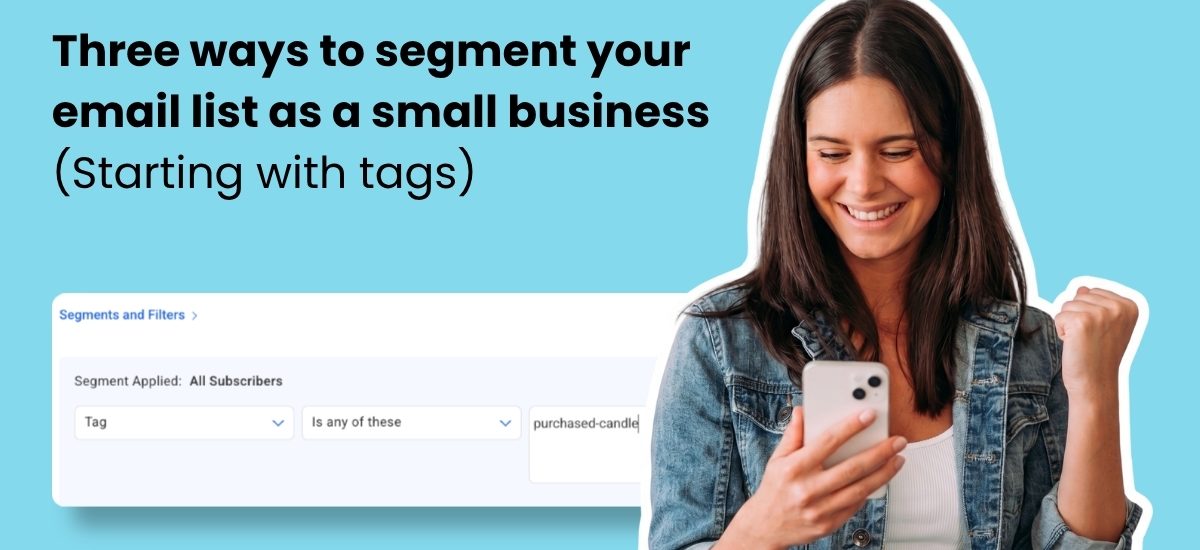
You can segment a list in a lot of ways. But if you want segments built on real subscriber data, you need to be tagging. Tags are labels applied to subscribers based on what they do: the link they clicked, the product they bought, the interest they selected at signup. Each tag is a signal. Stack enough of them and you know exactly who’s on your list and what they want to hear about.
AWeber’s tagging is built specifically for this. Small businesses use it to automate the entire process, from capturing subscriber behavior to routing people into the right campaigns, without any manual sorting.
When should a small business start segmenting its email list?
Start segmenting as soon as you have two types of subscribers who want different things.
That’s not a trick answer. Most businesses hit that threshold earlier than they expect. A fitness coach has subscribers who want workout tips and subscribers who want nutrition advice. A boutique retailer has subscribers who’ve purchased and subscribers who haven’t. A consultant has prospects and clients on the same list.
You don’t need hundreds of segments. Two meaningful ones change everything.
If your list is under 100 subscribers, focus on getting your welcome series right before worrying about segmentation. Once you’re past 100, the three tiers below give you a clear path forward.
Three segmentation tiers any small business can implement
Tier 1: Segment by interest at signup
The easiest time to segment a subscriber is before they’re on your list.
Your signup form is more than a field for an email address. It’s a chance to ask one simple question: what are you here for? A checkbox, a dropdown, or a single question in your lead magnet sequence can route subscribers into the right group from the start.
A food blogger might ask: recipes or restaurant guides? A marketing consultant might ask: social media or email? A clothing retailer might ask: women’s, men’s, or kids’?
You don’t need to ask more than one question. One honest answer at signup creates a segment that shapes every email that follows.
In AWeber, you can add custom fields to your signup form and use those responses to automatically apply tags the moment someone subscribes. A clothing retailer who asks “women’s, men’s, or kids’?” gets three tags applied instantly, three segments ready to use, and three welcome sequences that can speak directly to what each subscriber came for.
Tier 2: Segment by behavior using tags
Interest at signup tells you what someone wants. Behavior tells you what they actually do.
Tags applied to subscriber actions are the most powerful tool in your segmentation toolkit. When someone clicks a link about a specific product category, that click can trigger a tag. When someone completes a purchase, a tag records it. When someone opens every email for 90 days straight, a tag marks them as highly engaged. Behavioral segmentation is what turns those tags into campaigns that feel personal.
None of this requires you to be watching. You set the rule once. AWeber applies the tag automatically. That’s the part small business owners consistently say changes how they think about email: the list starts telling you what people care about, instead of you having to guess.
Three behavioral segments worth building early:
Engaged subscribers opened or clicked in the last 60 days. These are your most responsive readers. They’re ready for offers, early access, and content that rewards loyalty.
Cooling subscribers haven’t opened in 60 to 90 days. This group needs a shift in approach. A subject line with their name, a re-engagement series, or a plain-text “still there?” email often brings them back.
Inactive subscribers show no opens in 90-plus days. Before you remove them, send one last re-engagement email. If they don’t respond, removing them protects your deliverability and keeps your metrics honest.
As brand strategist Coleen Otero put it during an AWeber community webinar: “You wanna be on a platform where you can nurture your audience consistently through email. Email is modern day door to door sales.” The door-to-door analogy holds here. You wouldn’t pitch the same product to every house on the street. Behavior tells you which door to knock on first.
Tier 3: Segment by purchase history
Purchase history segmentation separates browsers from buyers and first-time buyers from repeat customers. These three groups have completely different relationships with your business.
Non-buyers on your list need trust-building content, social proof, and a reason to buy for the first time. Lead with education and stories.
First-time buyers need onboarding, reassurance that they made a good choice, and a path to a second purchase. A post-purchase sequence that delivers value before making another offer outperforms one that pitches immediately.
Repeat buyers are your best customers. They’re candidates for loyalty rewards, early access, and referral programs. Treating them identically to a subscriber who’s never spent a dollar is a missed opportunity.
In AWeber, purchase-based tagging works the same way as behavioral tagging. Connect your ecommerce store and AWeber applies a tag when a purchase completes. That tag moves the subscriber automatically: out of the prospect segment, into the buyer segment, ready for your post-purchase sequence. No manual work. No spreadsheets.
How to build your first segments without overwhelming yourself
Don’t build all three tiers at once.
Start with Tier 1. Add a single interest question to your signup form. Create two or three tags based on the answers. Build slightly different welcome sequences for each group. That’s it for week one.
Add Tier 2 when your list hits 200 to 300 subscribers. Set up engagement-based segments and let them populate over 90 days. You’ll have data to act on by the time you need it.
Add Tier 3 when you have enough purchase history to make it meaningful. For most small businesses, that means at least a few dozen completed orders.
The goal isn’t complexity. The goal is sending an email that feels like it was written for the person reading it.
Frequently asked questions
What is the difference between a segment and a tag in email marketing?
A tag is a label on a subscriber. A segment is a group of subscribers who share a tag. You tag someone when they click a link about pricing. You build a segment from everyone with that tag. Then you send to the segment.
How many segments should a small business have?
Start with two to four segments. More than that creates a content production problem: you need something meaningful to say to each group, and small teams run out of capacity fast. The most effective segmentation strategies for small businesses are built around one or two clear differences in subscriber behavior or intent, not a dozen overlapping groups. Expand only when you have the data and the content to justify it.
Does segmentation work if my list is small?
Yes. Segmentation is most valuable when your list is small because every subscriber relationship matters more. Sending relevant content to 200 subscribers builds the engagement habits that scale when your list reaches 2,000.
Can I automate segmentation in AWeber?
Yes. AWeber lets you apply tags automatically based on subscriber actions: link clicks, form submissions, purchase confirmations, and signup form responses. Those tags can trigger automations that move subscribers between segments without any manual work. You set the rules once and the segmentation runs on its own.
Does AWeber have segmentation tools for small businesses?
Yes. AWeber is an email marketing platform designed specifically for small businesses, and its tagging and segmentation system is one small business owners set up themselves. You can create tags based on subscriber behavior, apply them automatically through workflows, and build segments from those tags to send targeted campaigns. It’s the same segmentation logic used by larger marketing teams, set up in minutes rather than days.
The post Three Ways to Segment Your Email List as a Small Business (Starting with Tags) appeared first on AWeber.