

Your content can rank on the first page of Google and still never be cited or mentioned by LLMs.
This makes sense once you understand query fan-out, a background process AI systems use to build answers.
When someone asks ChatGPT or Perplexity a question, it doesn’t default to the best-ranking page.
Instead, it runs related searches behind the scenes, pulling from the most relevant and reliable sources, regardless of position.
If your brand doesn’t show up in those searches (whether through your own content or third parties), you’re unlikely to make it into the answer.
High rankings don’t hurt, of course.
But in AI search, coverage and retrievability are king.
In this guide, I’ll teach you how to optimize your content strategy for query fan-out to help increase your AI visibility.
You’ll learn:
Why LLMs use query fan-out
How it behaves differently across major AI platforms
Why it changes how you create and structure content
A 6-step workflow for earning more citations in AI search
Free template: Our Query Fan-Out Audit Template includes ready-to-use spreadsheets for logging money prompts, sub-queries, and content gaps — plus a checklist to keep you on track. Download it now to follow along.
First, I’ll dive deeper into how query fan-out works.
What Is Query Fan-Out?
Query fan-out is a process AI search systems use to break a single user query into multiple sub-queries to create the most helpful response.
In other words, the AI “fans” the query out into a series of related sub-questions to build a more complete picture of the topic.
It then pulls information from multiple sources — editorial sites, Reddit threads, comparison and product pages — and synthesizes it into a single comprehensive answer.
AI systems use query fan-out for a few reasons:
Confirm information: A single source might be wrong or biased. Running parallel sub-queries allows the system to cross-reference multiple sources and find consensus before committing to an answer.
Handle complex, specific queries: When a question has multiple layers, like comparing two products across price, reliability, and long-term value, fan-out breaks it into manageable pieces that the system can research independently.
Answer the real question: Someone searching “best toothbrush” probably also wants to know about price, battery life, and durability, even if they didn’t say so. Fan-out anticipates those needs and gathers evidence upfront.
For example, a search for “best toothbrush” might trigger sub-queries like “best electric toothbrushes [year]” and “best toothbrushes for sensitive gums.”
This helps the AI build a more complete and useful answer:
Sub-Query
What It Contributes to the AI Response
Best electric toothbrushes
Top-rated picks and editorial consensus
Best toothbrushes for sensitive gums
Use-case recommendations
Oral-B vs. Philips Sonicare
Head-to-head comparison data
Best eco-friendly toothbrushes
Value picks and pricing information
The AI then synthesizes those findings into a single answer that covers everything the user might want to know: top picks, price ranges, use-case breakdowns, and comparisons.
In this way, it anticipates the user’s needs, even though the original prompt (best toothbrush) was just two words.
What Query Fan-Out Is NOT
Now that we’ve covered what query fan-out is, let’s clear up a few common misconceptions.
Query fan-out is not:
Keyword research: This is the process of finding terms your audience searches for. Query fan-out is something AI systems do automatically, behind the scenes, every time someone asks a question.
People Also Ask: PAA is a visible SERP feature that shows users what else they might want to search. Fan-out happens in the background whether you can see it or not.
A fixed set of queries: Only 27% of fan-out sub-queries remain consistent across repeated searches, according to a SurferSEO study. Sub-queries vary by phrasing, user context, and platform.
Further reading: AI SEO Myths, Debunked: A No-BS Guide for Marketers
Why Query Fan-Out Matters for AI Visibility
Understanding what query fan-out is only gets you so far. The real question is: What does it mean for your content strategy?
Here are four shifts that should make you rethink how you approach content.
You Don’t Need Top Rankings to Get AI Citations
Top rankings don’t automatically translate to AI citations.
When AI breaks a query into sub-queries, it pulls the most relevant and complete source for each one, regardless of where it ranks.
ChatGPT cites pages in position 21+ almost 90% of the time, according to a Semrush study.
Perplexity and Google show the same pattern.
AI Retrieves Passages, Not Pages
Rather than directing users to a page, AI systems scan your content and synthesize the exact passage that resolves a query.
This means that the earlier you answer a question, the better your chances of being extracted.
The data backs this up.
44.2% of citations in ChatGPT responses come from the first 30% of a page, while 31.1% come from the middle, and 24.7% from the final third, according to growth advisor Kevin Indig’s analysis of 1.2 million ChatGPT responses.
You’re Competing Across a Whole Topic, Not Individual Keywords
SEO often revolves around individual keywords. Query fan-out revolves around comprehensive coverage.
That’s why broad, well-connected coverage across a topic (think pillar pages and topic clusters) can help you earn more AI visibility.
Pro tip: Pages that rank for fan-out queries (not just the main query) are 161% more likely to get cited, according to a SurferSEO AI Overviews study.
Query Fan-Out Collapses the Buying Journey
We were taught that buyers move linearly — awareness, consideration, decision — and have long optimized content for each stage.
With AI, those stages collapse into one.
A single high-intent question triggers the system to fan out.
It pulls awareness-level context, consideration-level comparisons, and decision-level specifics into one answer.
The entire buying journey can now happen in a single interaction. So your content needs to work across the full funnel, not just the stage you’re targeting.
Pro tip: Want to work through these steps as you read? Our free Query Fan-Out Audit Template has spreadsheets for tracking your money prompts, sub-queries, intent buckets, and content gaps — plus a checklist to keep the full workflow on track.
The Query Fan-Out Workflow: 6 Steps to Earn More AI Citations
This six-step workflow shows you how to earn more AI citations by identifying and targeting high-impact sub-queries.
It’s repeatable, so you can follow these steps for every topic that matters to your business.
Note: Each AI platform handles fan-out differently, from the number of sub-queries it runs to how it cites sources. We cover the platform differences in depth after the workflow.
Step 1: Find Your Money Prompts
Money prompts are the conversational phrases or questions your ideal customer would ask an AI tool when trying to solve the problem your product or service addresses.
Money prompts are:
Typically long-tail and highly specific
Tied to a real use case or constraint
Close to a decision, not just browsing
Think of money prompts as the AI SEO equivalent of money keywords: high-commercial-intent keywords designed to drive sales.
For example, “noise-canceling headphones ” is a keyword.
“What noise-canceling headphones are best for working from home with kids around, and cost under $300?” is a money prompt.
Look for money prompts where your audience asks questions:
Customer support tickets
Community forums
Sales call transcripts
Internal chat logs
Google Search Console queries
For example, when I searched for noise-canceling headphones on Reddit, I found multiple money prompts in real users’ posts.
Like this one that asks for the best noise-canceling headphones for telehealth:
And this one asking for durable headphones that will last longer than 2 years:
Forums and transcripts are a good starting point. But you’ll need a dedicated tool to find money prompts using real AI search data.
Semrush’s AI Visibility Toolkit tells you exactly what users type into AI tools, along with the AI’s response.
To show you how it works, I’ll use Bose, a well-known headphone brand, as an example.
Note: I’ll be using Semrush to show you how to complete the query fan-out workflow. If you don’t have a subscription, sign up for a free trial of Semrush One, which includes the AI Visibility Toolkit and Semrush Pro.
First, I searched Bose’s domain in the Visibility Overview tool.
The “Topics & Sources” report revealed over 123.7K prompts where the brand already appears in AI answers.
Filtering by “noise canceling” let me dig deeper into topic-specific money prompts like “noise-canceling headphones for sensory issues.”
Clicking the prompt provides a full breakdown: the AI’s response, every brand mentioned alongside yours, and the exact sources it cited.
Follow the same process for your own domain.
These prompts are your highest-priority money prompts — your audience is already searching them, and AI is already answering them.
Don’t have AI visibility yet? Use the Prompt Research tool.
Enter a broad topic to see the prompts that generate the most AI results in your industry.
As you find relevant prompts, add them to your spreadsheet.
Even a few money prompts give you enough to work with for the next step.
Step 2: Generate Your Fan-Out Set
There are two ways to generate fan-out sets: manually or with a dedicated fan-out tool.
The manual approach is free and helps you understand how fan-out behaves, while tools are faster and better suited to working at scale.
I’ll start with the manual method.
Paste this prompt template into any AI platform to get a fan-out set:
Expand this question into the sub-queries an AI system might search to answer it: [your money prompt].
When I ran my Reddit money prompt through ChatGPT, it returned sub-queries grouped into categories:
“Core Product Category”
“Durability & Longevity”
“Battery & Hardware Lifespan”
“Reliability & Failure Rates”
Each category is a potential content gap you’ll address in Step 4.
Run your money prompt through multiple AI tools to get a more complete picture, since each platform tends to expand prompts differently.
Pro tip: Manual research is a solid starting point, but outputs can contain inaccuracies or hallucinations. A dedicated fan-out tool simulates how different AI platforms expand your query and returns an organized list of sub-queries you can act on immediately.
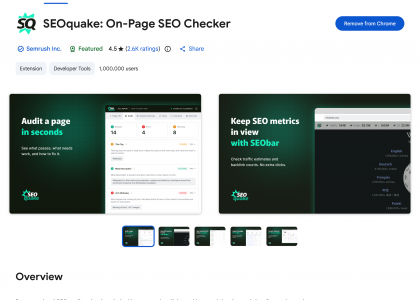
For a faster option, Backlinko’s free ChatGPT Query Fan-Out Tool is worth trying.
Install the Chrome extension, open ChatGPT, and ask your money prompt. The extension captures the response in real time and breaks down every sub-query ChatGPT ran behind the scenes.
When I ran a prompt through it, the panel showed:
Each sub-query the model generated
The metadata behind the response, including model version
Every URL cited, categorized by type: sources, products, images, and news
As you gather sub-queries, assign a query type to each — this tells you what kind of content you’ll need to create in the next step.
Use these definitions to categorize them.
Query Type
What It Means
Reformulation
A reworded version of the original prompt
Comparative
Weighs two or more options against each other
Implicit
Addresses a need the user didn’t explicitly state
Personalized
Tailored to a specific situation, constraint, or preference
Entity expansion
Drills into a specific brand, product, or person mentioned
Related
A connected topic the AI anticipates the user might want next
Step 3: Bucket Sub-Queries by Intent Type
Bucketing by intent tells you what types of content to create and the ideal format for each.
To categorize a sub-query, answer this question: What does the person actually want to do after getting an answer?
Consider an example from the noise-canceling headphones query fan-out set: “Sony vs Bose Noise Canceling Headphones.”
Someone asking this is weighing two specific products against each other, so it’s a “comparison” query.
The right format for this query is a head-to-head comparison page or table, not a general buying guide or listicle.
The intent isn’t always this obvious, and some sub-queries may fit more than one bucket.
When that happens, place it where the strongest intent lies.
Here’s a general guide to the main intent buckets and what each one calls for:
Bucket
Description
Example Sub-Query
Content Format
Definitions / Basics
What is X? How does X work?
“how do noise canceling headphones work”
Explainer article, glossary section
Comparisons / Alternatives
X vs Y, alternatives to X
“apple airpods max vs sony wh 1000xm4”
Comparison page, head-to-head section
Best for X / Recommendations
Best option for a specific use case
“best noise canceling headphones for working from home”
Listicle, buying guide
Problems / Troubleshooting
How to fix X, why does X happen
“how to get rid of background noise in audio”
How-to guide, FAQ section
Pricing / Value
How much does X cost, is X worth it
“are there any good wireless headphones with noise cancellation under $150?”
Pricing page, value comparison section
Social Proof / Discussions
Reviews, Reddit opinions, user experience
“best earbuds for calls in noisy environment reddit”
Review roundup, user feedback section
Step 4: Audit Your Existing Content for Gaps
Once you’ve bucketed your sub-queries by intent and format, check which ones your site already covers and which ones it doesn’t (aka content gaps).
Start by searching your own site.
Type “site:yourdomain.com [sub-query topic]” into Google.
For example, running “site:bose.com noise canceling headphones” surfaces all their pages on that topic.
From here, evaluate each page against the sub-query it should cover:
Coverage: Does it directly answer the sub-query, or just mention the topic in passing?
Format: Is it the right content format for the intent?
Self-contained answers: Can the answer stand on its own, without the reader needing to look anywhere else?
Categorize each page by its coverage level:
Coverage Level
What It Looks Like
What to Do
Not covered
No page on your site addresses this sub-query at all
Create new content targeting this sub-query directly
Partially covered
A page mentions the topic in passing but doesn’t resolve the sub-query directly
Add a dedicated section to the existing page that fully answers the sub-query
Fully covered
A dedicated section or page answers the sub-query completely and can be extracted and cited by AI without needing surrounding context
Monitor for AI citations and update regularly to stay current
For each sub-query, you’ll also want to know which competitors are showing up for your money prompts.
Run your money prompts through AI platforms to gather this information manually. Or refer back to your research from the AI Visibility Toolkit in Step 1.
Click any prompt to see which brands were mentioned and the exact sources the AI cited.
Already showing up alongside competitors? That’s a prompt worth protecting — focus on strengthening your coverage so you stay in the answer.
If competitors are showing up and you’re not, that’s a gap worth closing before they own it.
Step 5: Structure Your Content So AI Can Extract It
Creating the right content is only half the job. The other half is making it easy for AI to find, parse, and use.
Start by filling the gaps you identified in Step 4.
For sub-queries with no coverage, create dedicated pages or sections that target them directly.
For partial coverage, add self-contained answers to existing pages that resolve the sub-query without needing surrounding context.
Then, structure everything so AI can extract it cleanly:
Address specific questions directly — lead with the answer, not background context
Use content chunking: Break content into focused sections with clear headings, short paragraphs, and bullet points
Front-load key information early in the page or section
Use clear, precise language, including specific product names, figures, and use-case-specific wording
Add FAQ sections
Here’s what this looks like in action.
Bose has over 63.9K mentions across AI platforms in the U.S. alone:
It helps that they’re a household name. But their content is also built to be extracted.
Their product pages front-load specific claims as scannable elements — “24 hours of battery life” and “legendary noise cancelation” — rather than burying them in copy.
Key specs are organized into structured comparison tables:
And they build dedicated landing pages for use cases like flying, using descriptive, scenario-specific language.
This matters because AI fans out into use-case-specific sub-queries.
When I searched “best noise-canceling headphones for flight anxiety,” AI Mode recommended Bose, using nearly identical language from Bose’s flight landing page.
When a user’s prompt matches the scenario your page was built for, AI systems may be more likely to pull from it.
This is a clear example of that in action.
You don’t need a complete site overhaul to make this work.
Even restructuring a few high-priority pages to address your fan-out gaps can improve your chances of being extracted and cited.
Step 6: Measure Your Performance in AI Search
Once your content is structured and live, track your performance in LLMs.
Start with the money prompts you identified in Step 1.
For each one, you want to know:
Are you showing up? Is your brand mentioned or recommended in the response?
Is what it says accurate? Are the claims the AI makes about your brand correct, or is it pulling outdated or wrong information?
How do you compare? Which competitors appear in the same response, and how are they positioned relative to you?
If you’re tracking manually, run them through multiple LLMs (in a private or incognito window) and record what you find.
But once you’re tracking dozens of sub-queries across platforms, manually tracking gets messy (and time-consuming).
I use Semrush’s Prompt Tracker to automate the process.
It alerts you to changes in mentions for your money prompts, so you don’t have to keep re-running them yourself.
Another helpful tool is the Visibility Overview.
It provides an AI visibility score that tracks how often you’re showing up in AI answers compared to competitors.
The Perception tool tracks sentiment so you know how LLMs describe your brand — and if they mention competitors more favorably.
It also breaks down the factors driving that sentiment.
For Bose, “industry-leading noise cancellation” shows up as a strength, while “over-the-ear models not sweatproof” flags a use-case they could address with targeted content.
Tracking should be an ongoing process.
Revisit your money prompts regularly and update your content as new sub-queries emerge or competitors gain ground.
How Query Fan-Out Works Across Different Platforms
How content surfaces in an AI answer depends on several factors:
Whether the system searches the live web or draws from its training knowledge
How many sub-queries it runs
Which sources it favors, and how it cites them
Understanding those patterns helps you make smarter decisions about content structure, format, and where to focus your optimization effort.
Plus, if a competitor outperforms you in a specific LLM, understanding how that platform handles fan-out can help you figure out why.
Platform
How Fan-Out Works
ChatGPT
Reasons internally, then runs live web searches when a question requires fresh data, comparisons, or current information
Perplexity
Combines conversation context with real-time web search
Claude
Clarifies intent first; relies mostly on training data
Google AI Overviews
Synthesizes Google’s index into condensed, featured-snippet-style summaries
Google AI Mode
Breaks complex prompts into multiple searches across Google’s index
Note: Some of the behavior described below is based on how each system describes its own reasoning when prompted. LLMs aren’t always reliable narrators of their own processes, so treat these observations as directional rather than definitive.
ChatGPT
For simple, informational queries, ChatGPT usually responds from its training data without running a live search.
But that changes when the question requires fresh information, comparisons, or real-world data.
When I asked which car I should buy (Toyota vs. Honda) in Thinking mode, ChatGPT spent about 22 seconds reasoning through the question.
Then, it produced an answer drawn from 41 cited sources
That’s query fan-out in action: one prompt, varied sources, and multiple sub-queries running behind the scenes.
By default, you can’t see the sub-queries ChatGPT runs. But I’ll show you how to find them (don’t worry — it’s easier than it looks).
Note: This DevTools method only works in the web version of ChatGPT. You can’t access sub-query data on mobile or in the desktop app.
First, search a money prompt in ChatGPT.
Then, look at your browser’s address bar and copy the slug that appears after chatgpt.com/c/ — that’s the unique ID for your conversation
Next, right-click anywhere on the page and select “Inspect.”
A developer panel will open on the side of your screen:
Click “Network” at the top of that panel
Paste the slug you copied into the filter bar
Refresh the page
Click on the fetch version of the slug (here, it’s the second option under the Name column).
Then, open the Response tab.
Once it loads, press Ctrl+F (or Cmd+F on Mac) and search for the word “queries.”
What appears is the exact set of internal searches ChatGPT ran before producing its answer.
For the Toyota vs Honda prompt, ChatGPT generated queries around:
Vehicle specifications
Fuel economy
Reliability
Safety ratings
Long-term ownership costs
Once you have the sub-queries, cross-reference them against your content.
Are you targeting each one? Do your pages use the same language ChatGPT is searching for — “long-term ownership costs” rather than just “value”?
ChatGPT often pulls from third-party sources like Reddit threads, review sites, and comparison pages.
So topical authority matters here — not just what’s on your site, but whether your brand shows up across the sources ChatGPT is likely to retrieve.
Perplexity
Perplexity runs two types of fan-out simultaneously:
Internal fan-out — scans your prior conversation history for relevant context
External fan-out — searches the external web for relevant information
The final answer draws on both layers, which means your content needs to work for a range of user situations, not just one.
For the Toyota vs. Honda question, Perplexity’s first batch of sub-queries had nothing to do with the cars.
Instead, it checked whether I’d previously mentioned anything that could shape its recommendation.
Like budget constraints, driving habits, or past questions about either brand.
Only after that internal scan did it launch external searches about reliability, ownership cost, and safety ratings.
What this means for your content: Perplexity may pair your page with context you can’t predict: a user’s past questions, constraints, or preferences.
Your content needs to be specific and self-contained enough to remain accurate and useful no matter the surrounding context.
Claude
Claude takes a different approach.
Rather than immediately running sub-queries, it asks clarifying questions first. Then, it generates a response tailored to your answers.
When I asked the Toyota vs. Honda question, Claude presented a preference widget before producing an answer.
Once I responded, it generated a recommendation tailored to my priorities.
Because it clarifies intent before searching, Claude tends to generate fewer, more targeted fan-out sub-queries than other platforms.
The implication for your content: Answer specific, well-defined use cases directly rather than trying to cover every angle on a single page.
Google AI Overviews and AI Mode
AI Overviews appear as concise, AI-generated summaries with sources listed in a clickable sidebar.
They work by synthesizing Google’s existing web index into a tighter, more contained summary.
AI Mode, by contrast, is a dedicated conversational search tab designed for complex, multi‑part questions.
Like AI Overviews, it draws on Google’s index to generate answers, but it offers more interaction and depth.
Neither platform exposes the sub-queries it runs.
But SEOs have found a way to extract Google’s fan-outs using Screaming Frog configured with a Gemini API. Watch Dan Hinckley’s tutorial for a full walkthrough.
For both, the optimization focus is the same: Front-load your answers, use descriptive subheadings, and structure content so individual passages stand on their own.
AI Search Runs on Query Fan-Out — Your Content Strategy Should Too
High rankings alone won’t earn AI mentions.
The brands showing up are the ones covering the questions their audience is actually asking and making that content easy for AI to extract and cite.
You’ve got the query fan-out framework. Now it’s about execution.
Start with one money prompt, map the sub-queries, and audit where your content stands.
Then work through the gaps, one topic at a time.
Next, dive deeper into how to get your brand seen and trusted across AI platforms with our AI search strategy guide.
The post Query Fan-Out: What It Is and How It Affects AI Visibility appeared first on Backlinko.